Aurynk
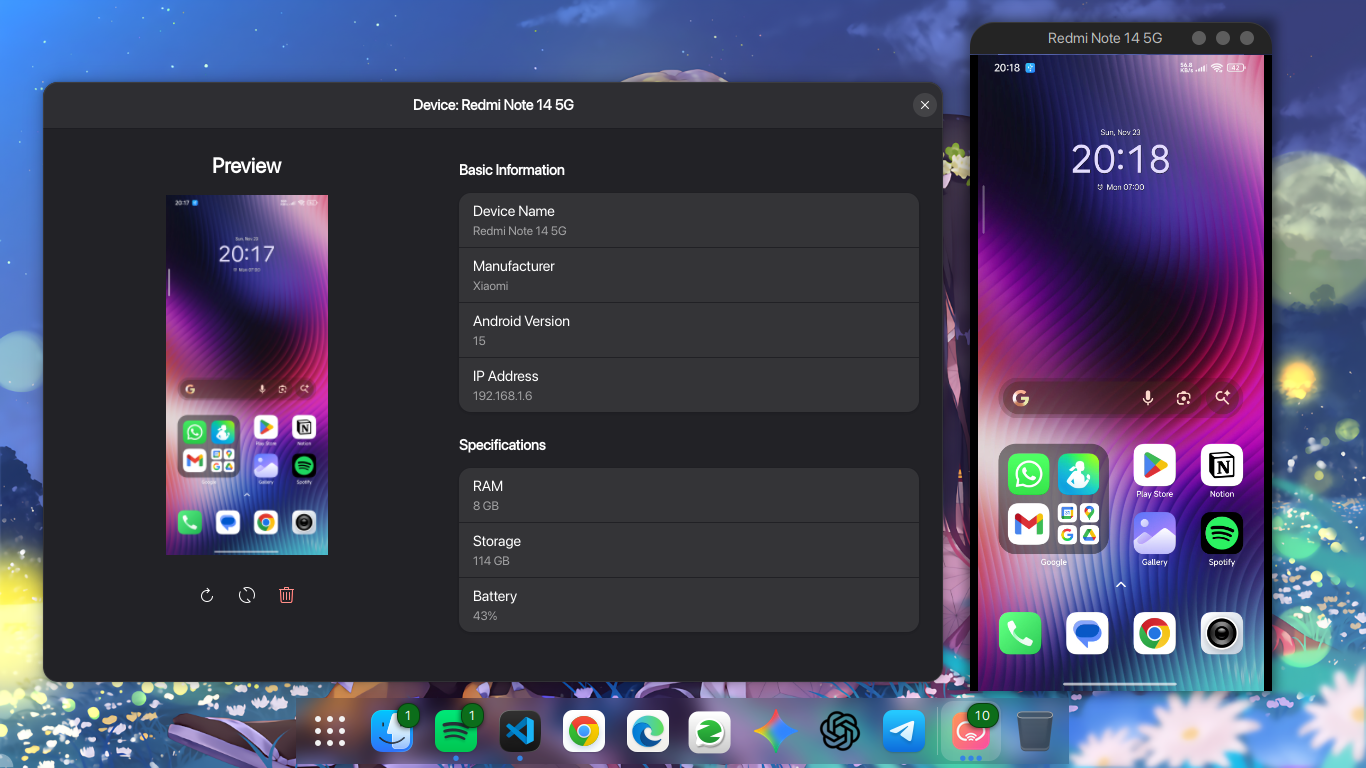
Read our comprehensive review of Aurynk, a modern Linux application designed to seamlessly mirror your Android screen and manage devices wirelessly.
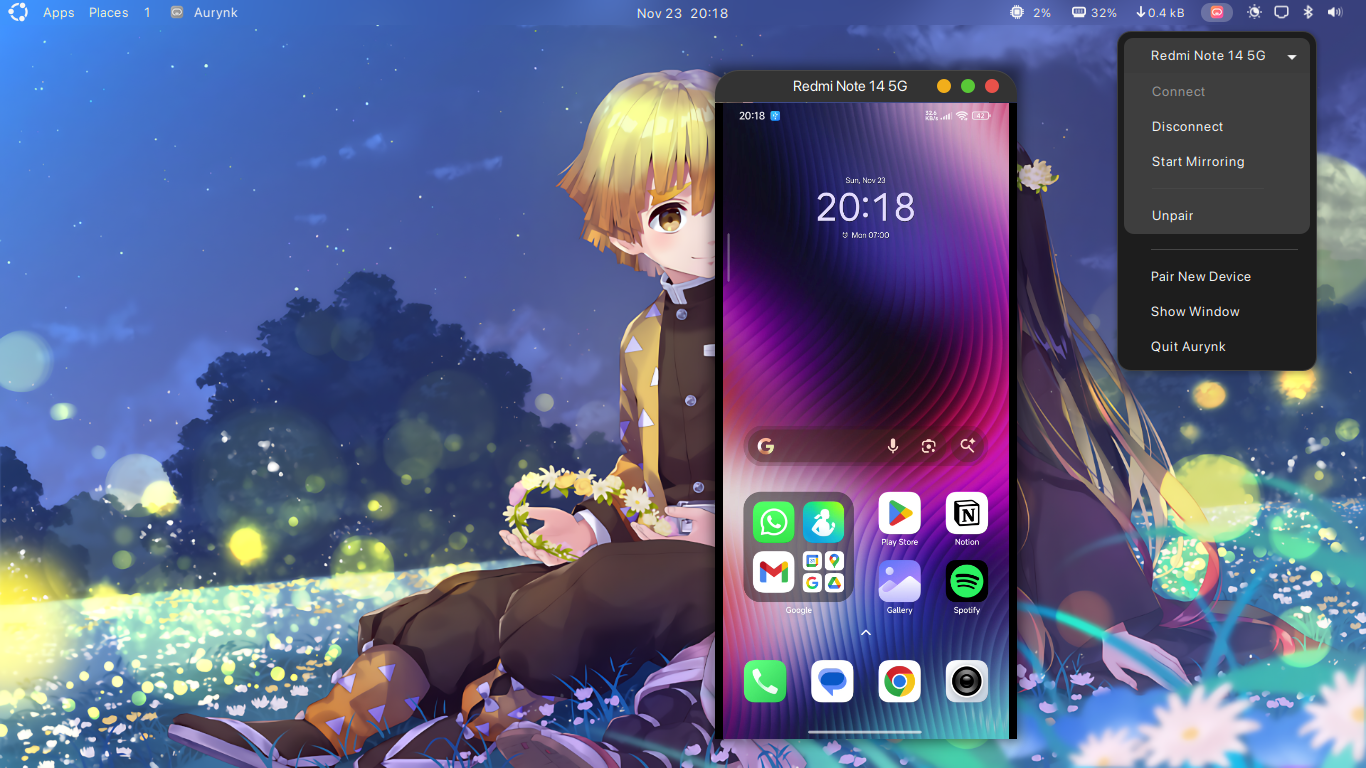
Picture this: you are deep in a development session or typing away on your Linux workstation, and your phone buzzes with a crucial notification or a mobile-only app task. Instead of breaking your flow to pick up your physical device, the Aurynk Android mirroring tool lets you cast and control your smartphone screen directly on your desktop with minimal fuss.
What is the Aurynk Android Mirroring Tool?
Developed by Ishu Singh, Aurynk is a specialized utility tailored for the Linux ecosystem. It bridges the gap between your computer and mobile device, utilizing the power of ADB (Android Debug Bridge) and the highly efficient scrcpy engine. Unlike older, clunky command-line setups, this application wraps powerful screen-mirroring capabilities in a beautiful, modern user interface built specifically for Linux desktops.
Key Features and Capabilities
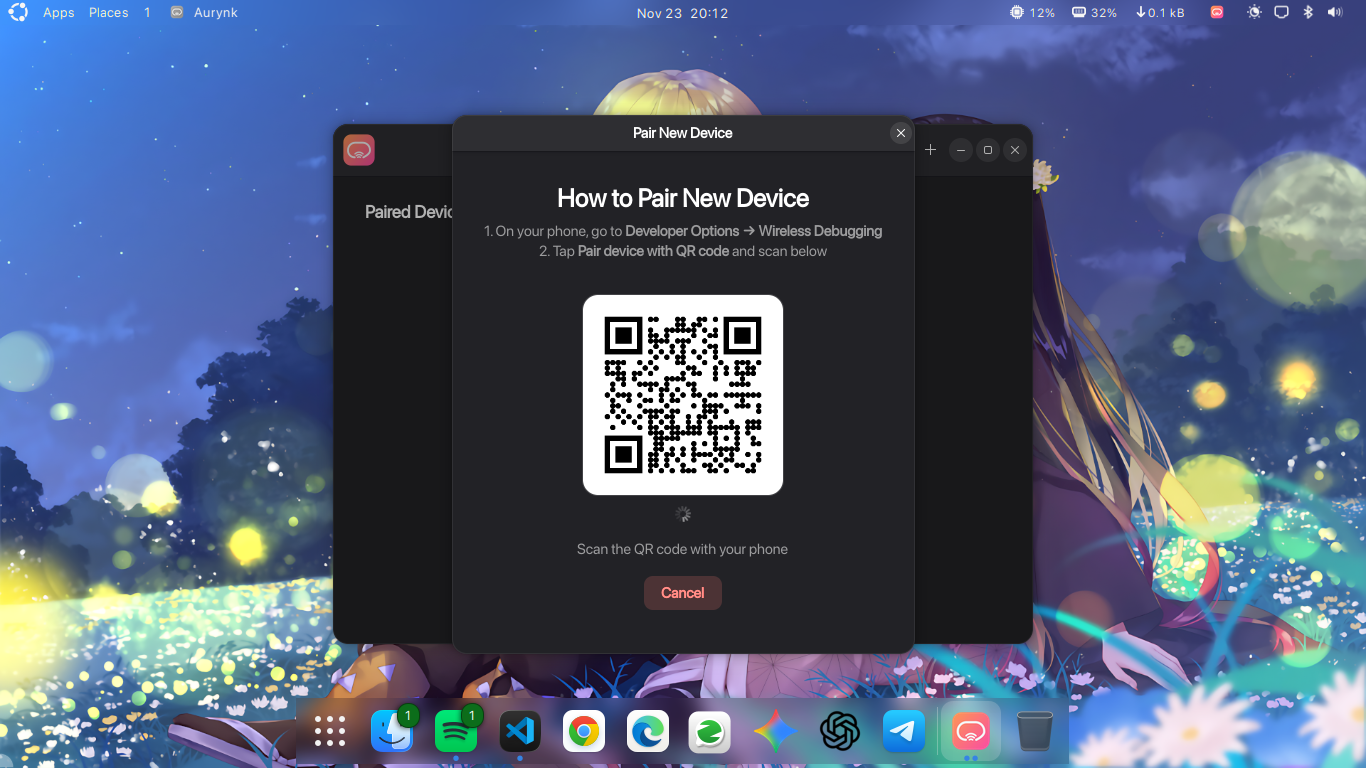
- Effortless Wireless Pairing: Skip the hassle of typing out IP addresses. You can pair your Android device wirelessly simply by scanning a QR code shown on your screen.
- Modern GTK4 & Libadwaita Interface: The application looks right at home on modern Linux desktop environments, offering a clean, responsive, and visually polished layout.
- Low-Latency Screen Mirroring: Powered by the industry-standard scrcpy backend, you get smooth, high-performance screen casting that is perfect for presentations, debugging, or app testing.
- Comprehensive Device Specifications: View detailed hardware and software information about your connected smartphone or tablet directly within the app interface.
- Quick Screenshot Capture: Grab high-quality screenshots of your mirrored Android screen with a single click, saving them directly to your Linux system.
- System Tray Integration: Keep the utility running quietly in the background, ready to launch or connect whenever you need it.
Who is This Tool For?
The Aurynk Android mirroring tool is an exceptional choice for Linux users who require frequent interaction with their mobile devices. Android developers will appreciate the swift wireless debugging and screen capture tools, while general users will love the ability to view notifications, manage device settings, and interact with mobile applications without constantly reaching for their phones.
Our Verdict
Aurynk successfully simplifies what used to be a technical, terminal-heavy setup. By combining scrcpy's robust mirroring technology with a beautiful, modern GTK4 user interface, Ishu Singh has created an indispensable utility for the Linux community. If you want to streamline your multi-device workflow, we highly recommend exploring this project. To try it out on your system, head over to the official Flathub store page to get started.