

Simple Wi-Fi Analyzer
Read our comprehensive review of Simple Wi-Fi Analyzer, a free, ad-free Windows utility designed to optimize and troubleshoot your wireless network.
When your wireless connection begins to lag or drop, diagnosing the root cause can feel like guesswork. The Simple Wi-Fi Analyzer wireless network tool offers an elegant, clutter-free solution for Windows users looking to audit their local wireless environment. Developed by Shipwreck Software, this utility cuts through the noise of complex network monitors to deliver straightforward, actionable insights about your surrounding airwaves.
What is the Simple Wi-Fi Analyzer Wireless Network Tool?
At its core, this software is designed to map out nearby wireless signals and present them in an easy-to-understand visual format. Whether you are struggling with slow speeds at home or trying to find an uncongested channel in a crowded apartment building, the Simple Wi-Fi Analyzer wireless network tool scans your environment in real-time. Crucially, the developer has released this application as a completely free utility with no advertisements, in-app purchases, or hidden telemetry, making it a highly trustworthy addition to your system diagnostics toolkit.
Key Features and Real-World Usability
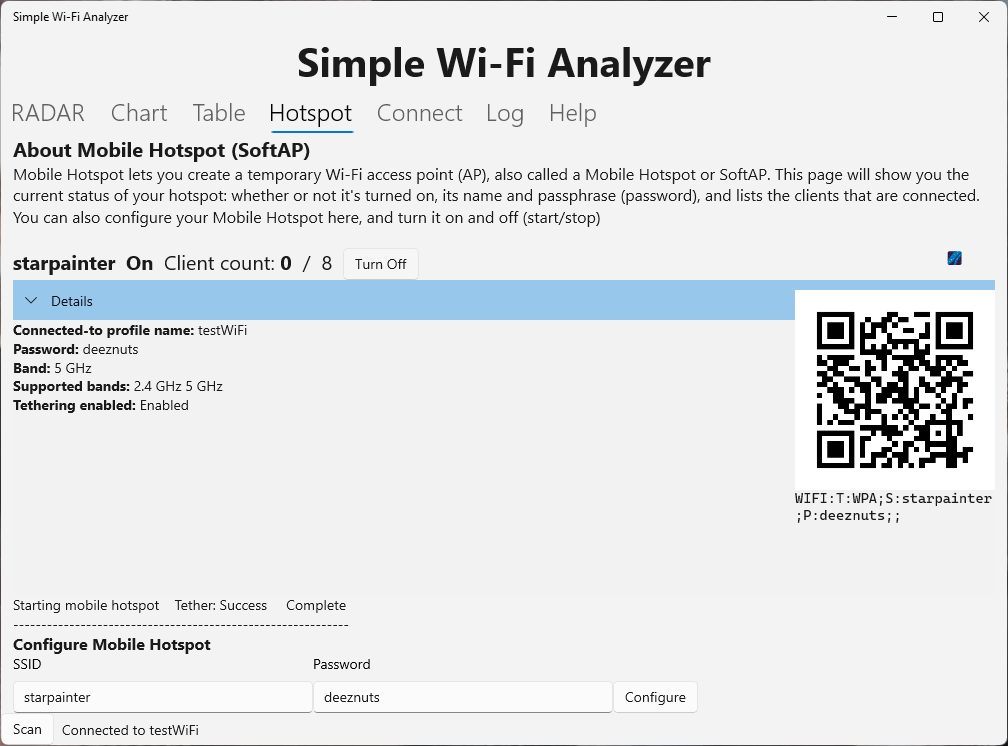
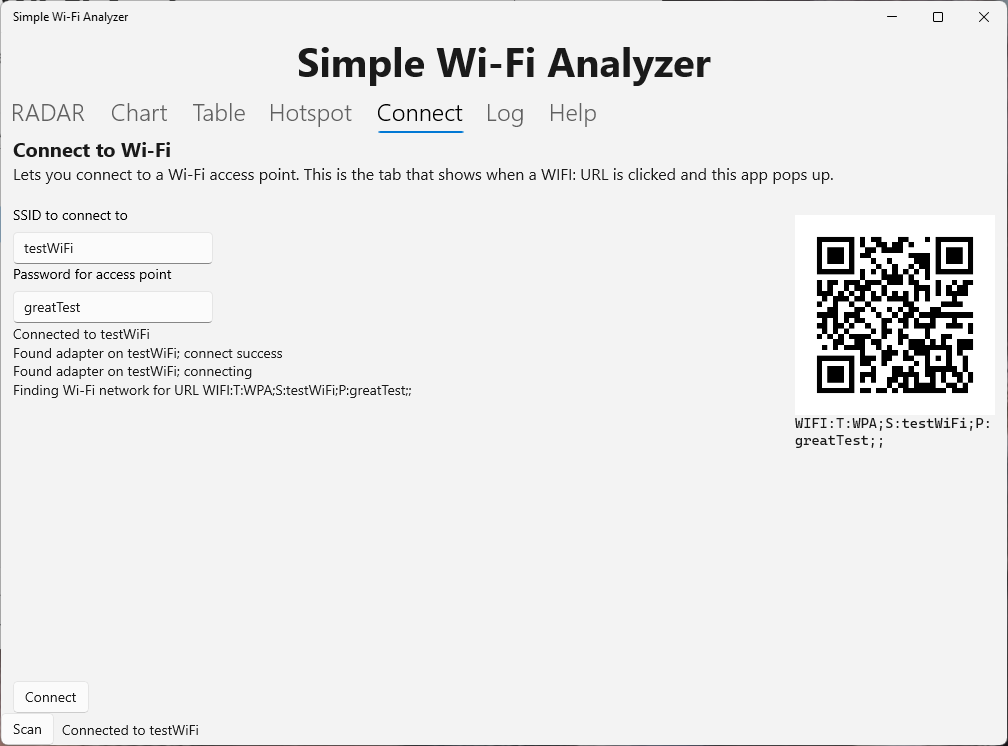
- QR Code Connectivity: If you need to join a network quickly, you can use your device's camera to scan a Wi-Fi QR code. The app handles the connection process instantly, eliminating the need to type out long, complex security keys.
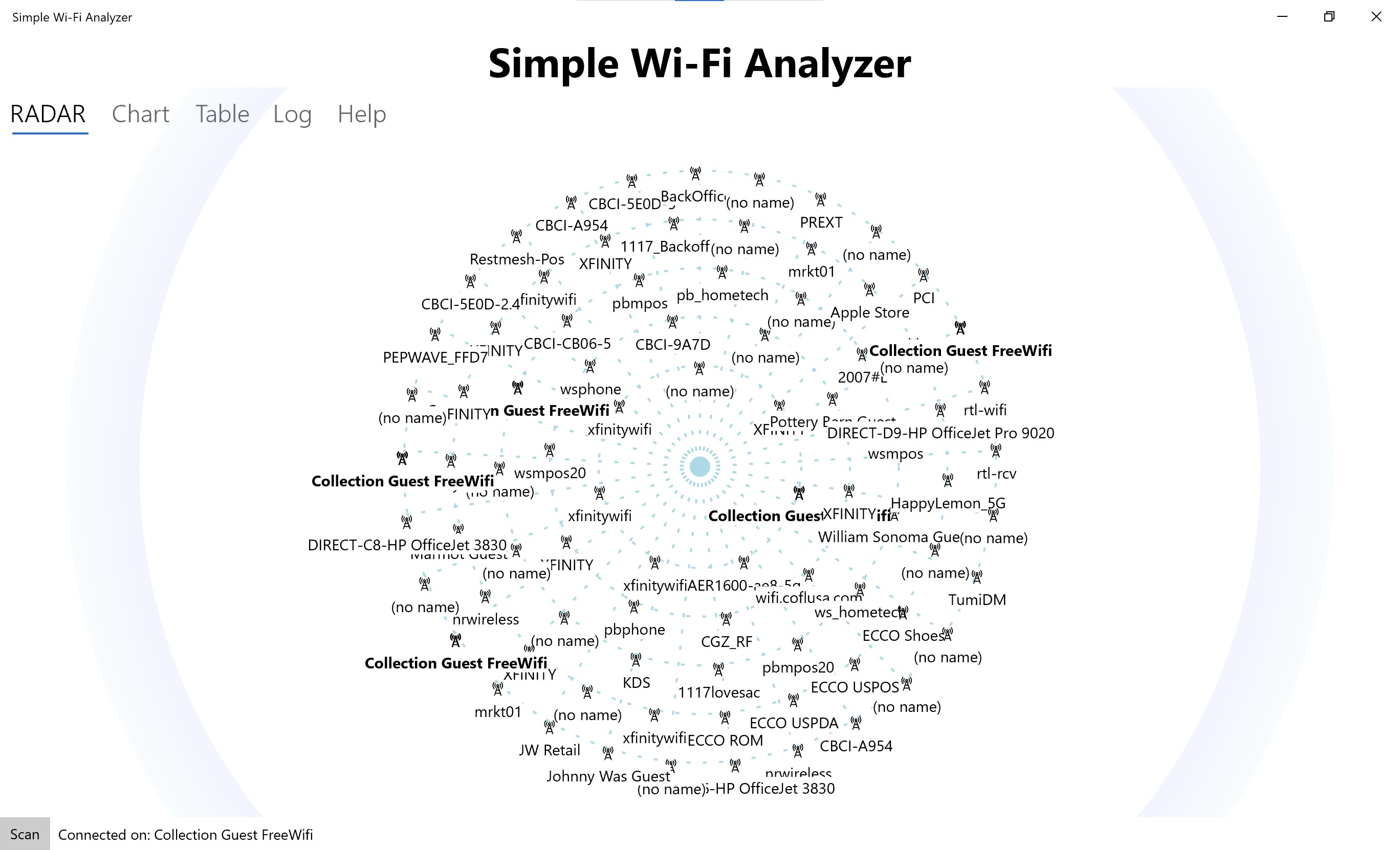
- Radar-Style Visualization: See nearby access points plotted on a graphical, radar-like interface. This makes it incredibly easy to judge signal proximity and strength at a single glance.
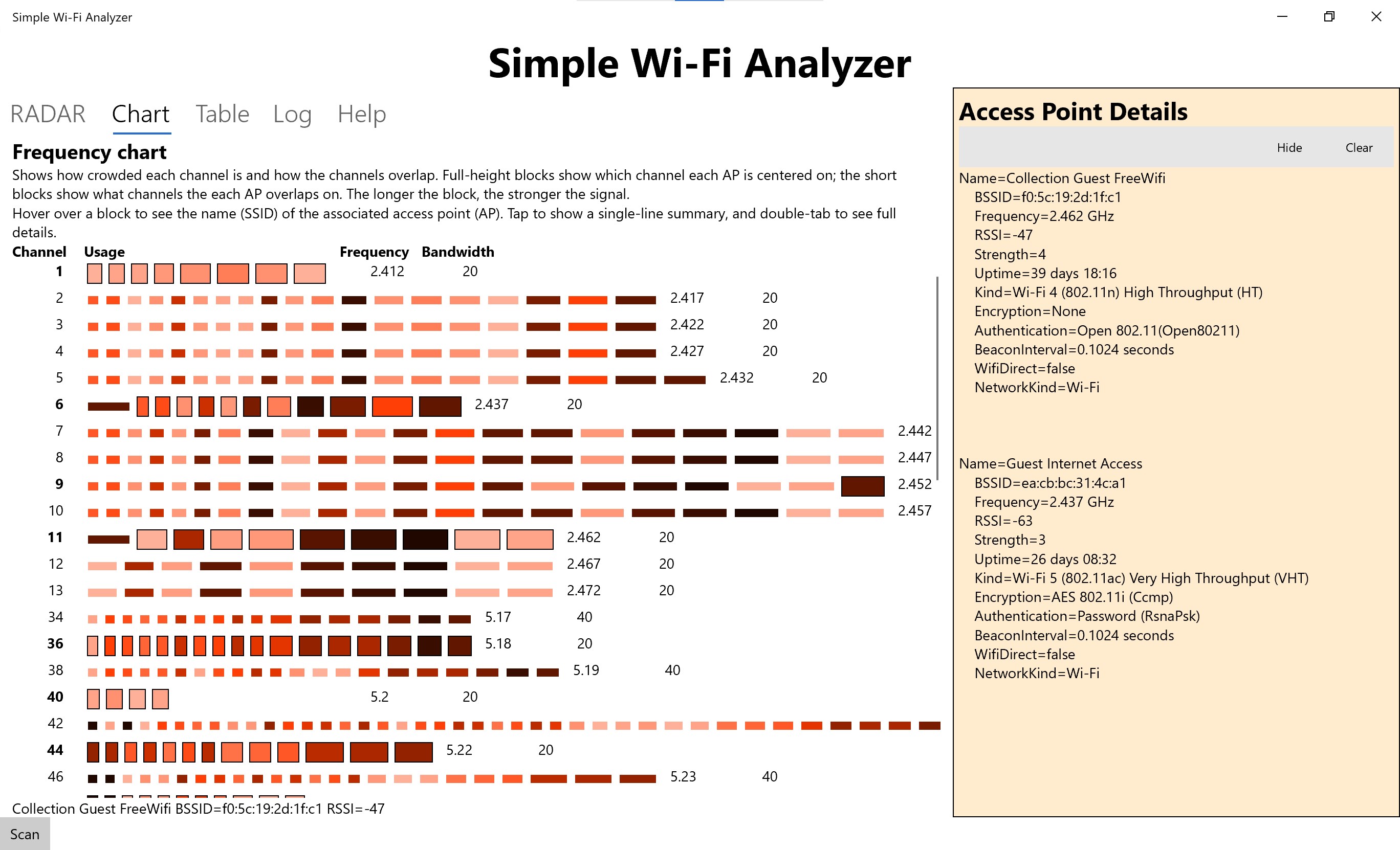
- Frequency Breakdown: The software analyzes channel distribution across the spectrum, helping you identify channel contention and find underutilized frequencies for your own router.
- Detailed Access Point Table: For those who need raw data, a structured table lists specific technical details for every detected network in your immediate vicinity.
Who Is This Network Utility For?
This application is ideal for everyday users who need to troubleshoot basic connectivity issues without getting bogged down by enterprise-level networking jargon. If you suspect your router is on an overcrowded channel, or if you simply want a quick way to onboard devices via QR codes, this lightweight Windows tool provides exactly what you need without any distracting monetization or complex setup processes.
Our Verdict
Shipwreck Software has created a genuinely useful, community-minded utility that performs its core functions flawlessly. While it focuses on basic diagnostics rather than deep packet inspection, its transparency, lack of ads, and clean interface make it a standout choice for home networking enthusiasts. To try it out for yourself, head over to the official Microsoft Store to download the application for your Windows device.